JAMORI Open Jamori

Jamori Free while we test it

Music is the conversation.

Make music on your phone, from your first beat to a finished track. Build a beat, play a sitar with your fingers, hum a melody into it, then send it to someone to answer. No experience, no account, no wrong notes.

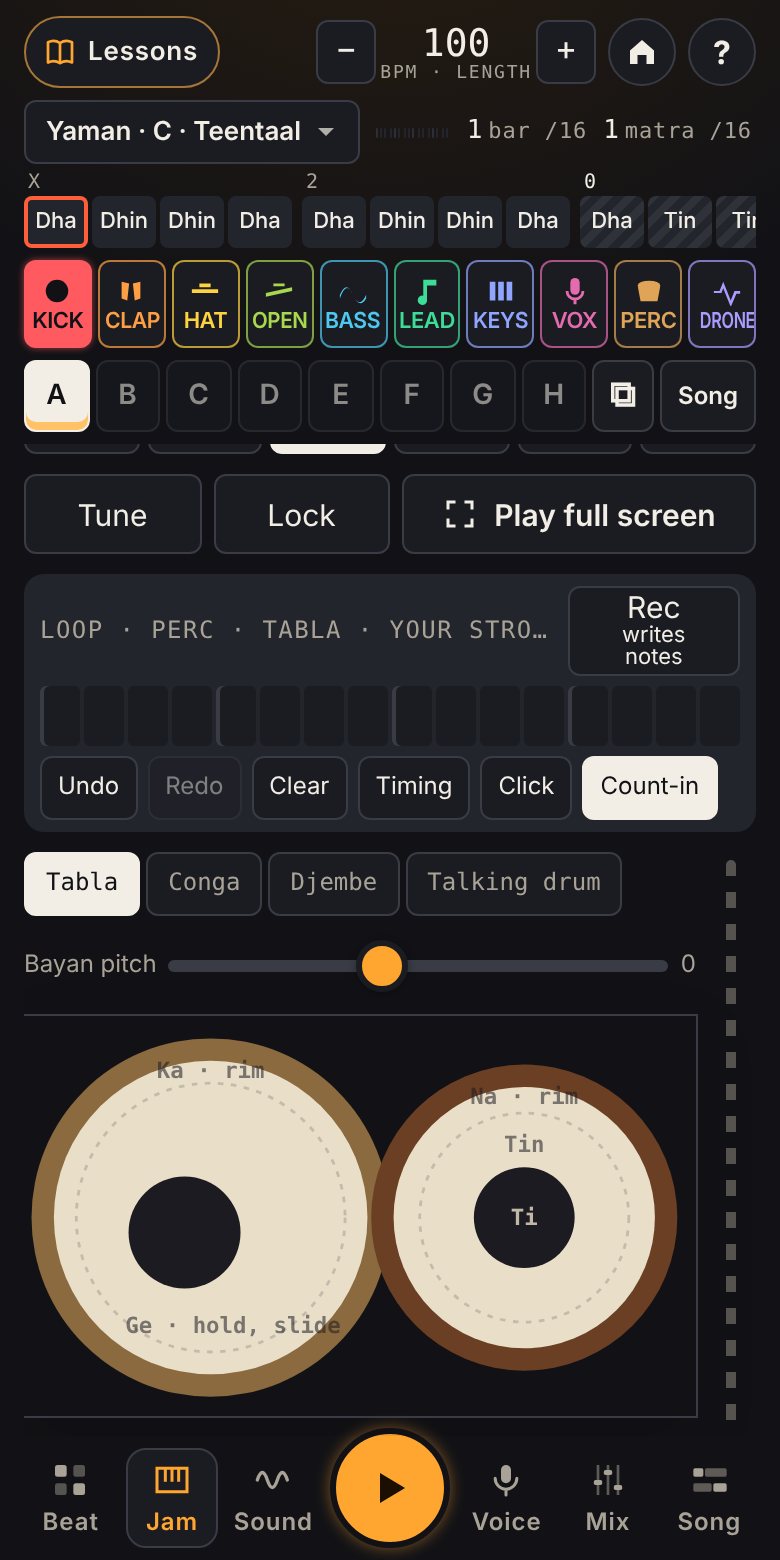
X203

Teentaal, 16 matras. X is sam, where the cycle lands; 0 is khali, the open section.

Jamori on a phone, playing the on-screen tabla in raga Yaman, Teentaal

Why Jamori

Everyone has music in them. Making it should not need a studio.

Music is one of the oldest ways people talk to each other. Jamori makes the tools for it free and simple, so you can start from wherever you are, in whatever music you grew up with.

For everyone

No experience needed and no wrong notes: every pad, row and chord is in key. Short lessons show you what to tap next and why. It is built to work with screen readers and keyboards, and for every age.

Your music is yours

What you make stays on your phone, with no account and nothing uploaded. Use it anywhere, in reels, videos, podcasts and paid work. What to credit, and when.

Made from code. No AI.

Almost every sound is calculated live in your browser from the maths of how instruments vibrate. No AI makes your music: every note, sound and choice is yours. How the sound is made.

Music from everywhere

Techno and Afro house, ragas and talas, reggaeton and lo-fi, the koto, the mbira and the tabla: lessons in 38 styles, and instruments from around the world, each in its own tuning.

Start in one tap

Never start from an empty page.

Spark a beat in any style and mood, start from a finished song and make it yours, or follow a lesson that ends with something you made. Today's groove gives you a new idea every day.

  • Sparka whole beat in a style and mood you pick
  • Start from a songa finished track to take apart
  • Today's groovea new starting point and one small goal, every day
  • Lessons171 of them, from your first beat to hand drums and mixing, each ending in something you made
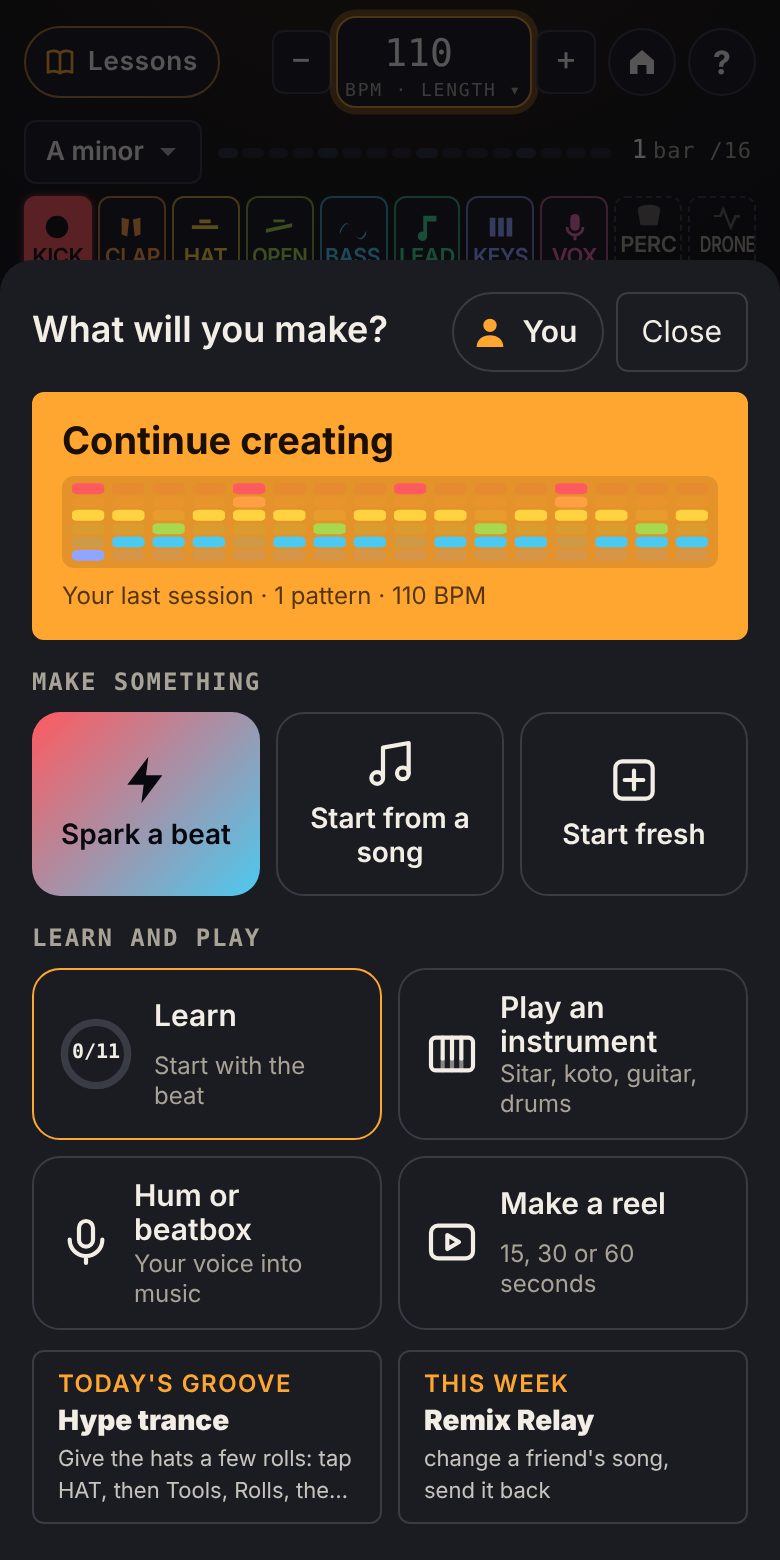
The Jamori home screen: Continue creating with a picture of the beat, then Make something, Learn and play, and Today's groove

Play it in

Play it with your hands. It lands on the grid.

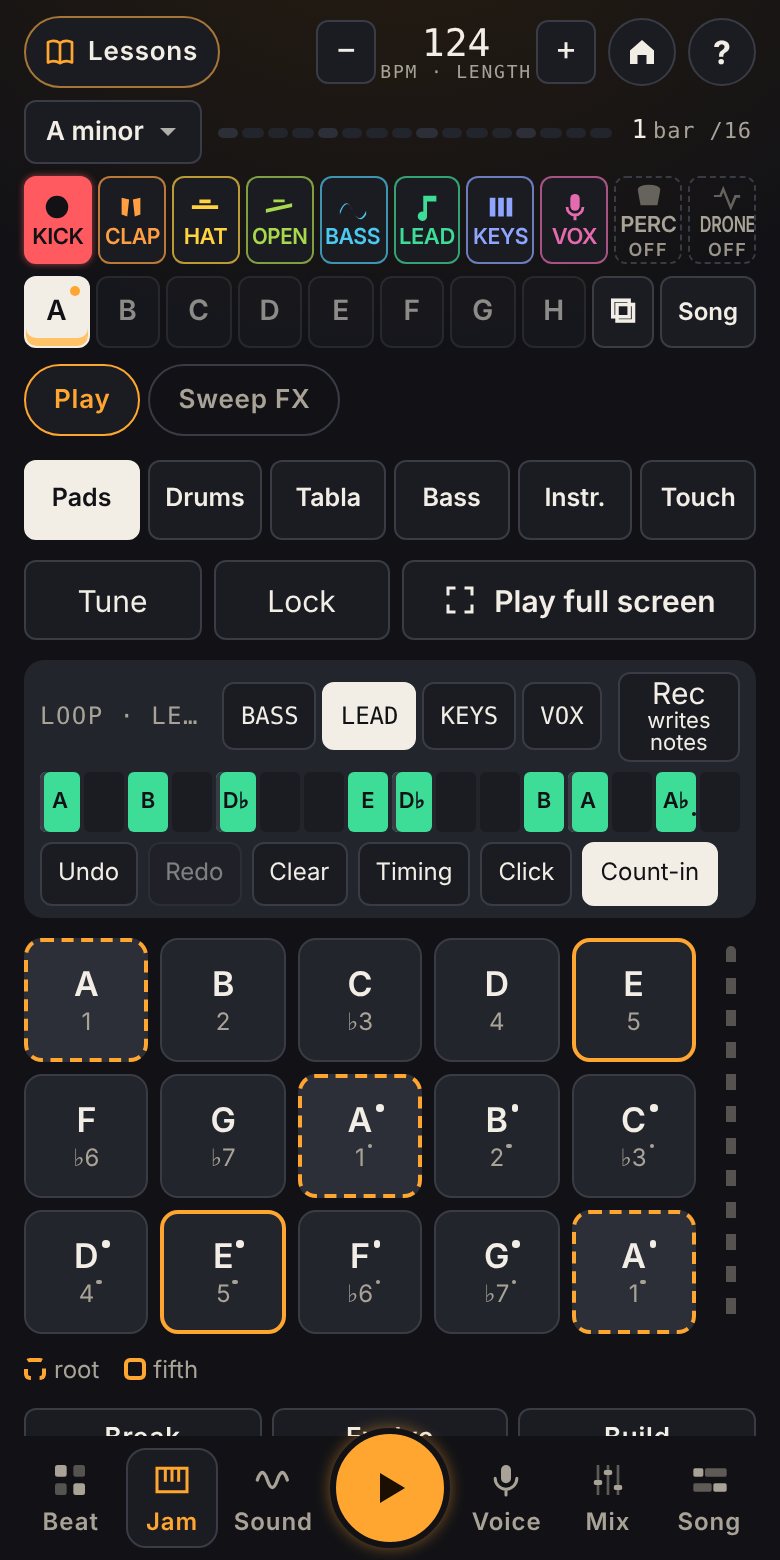
Tap Rec, hear four clicks, and play. Your notes fall into a loop and repeat while you add the next layer. A quick timing check measures your headphones, so what you play lands where you heard it.

  • Padsevery note in key, the root and fifth marked
  • Loopsrecord a lead, then a bass on top, then fix any note on the grid
  • Instrumentsdrum pads, tabla, strings, keys, kalimba, handpan
  • Timingtap along to eight clicks; Bluetooth delay is measured and corrected
Jam with the loop strip above the pads, a lead line recorded into it

Your voice

Hum it, beatbox it, or make a sound. It becomes music.

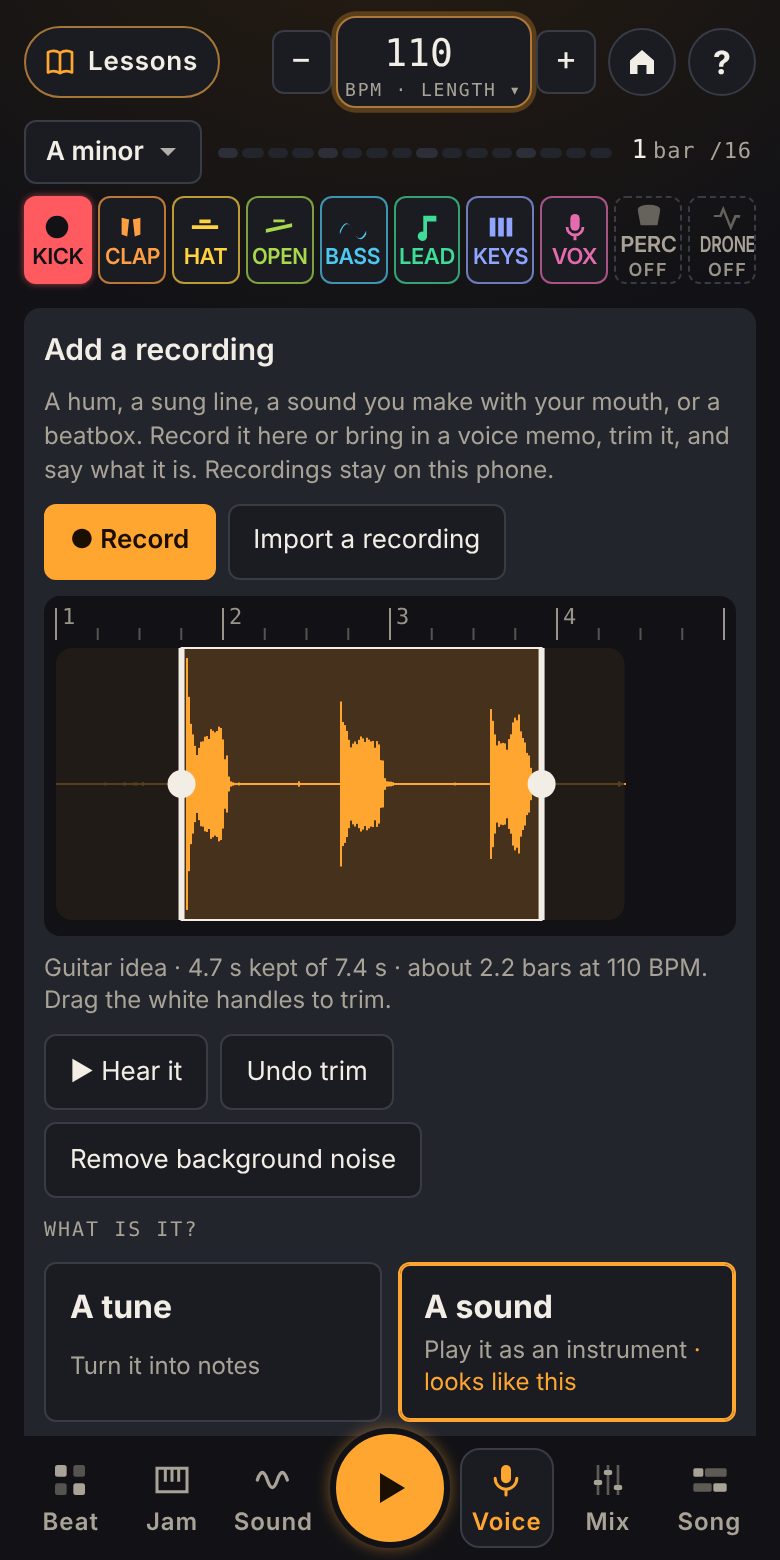
Record straight into Jamori, or bring in a voice memo. Trim it, say what it is, and Jamori does the rest: a hum becomes a melody in key, a beatbox becomes drums, a sound you make becomes an instrument you play on the keys, and a sung line goes on its own track with effects.

  • A tunea melody, a bassline or chords that fit
  • A beat"boom", "ka" and "ts" become kick, snare and hats
  • A soundyour "dun" or "waa", played higher and lower
  • A vocalslices, tuning, choir, robot, radio, reverse
  • Clean upturn down the background noise
  • Your librarykeep every sound, use it on any track
The Voice page: a recording on the bar ruler, trimmed, with the choice of a tune, a sound, a beat or a vocal

Ragas and scales

Western scales or ragas. Nothing clashes.

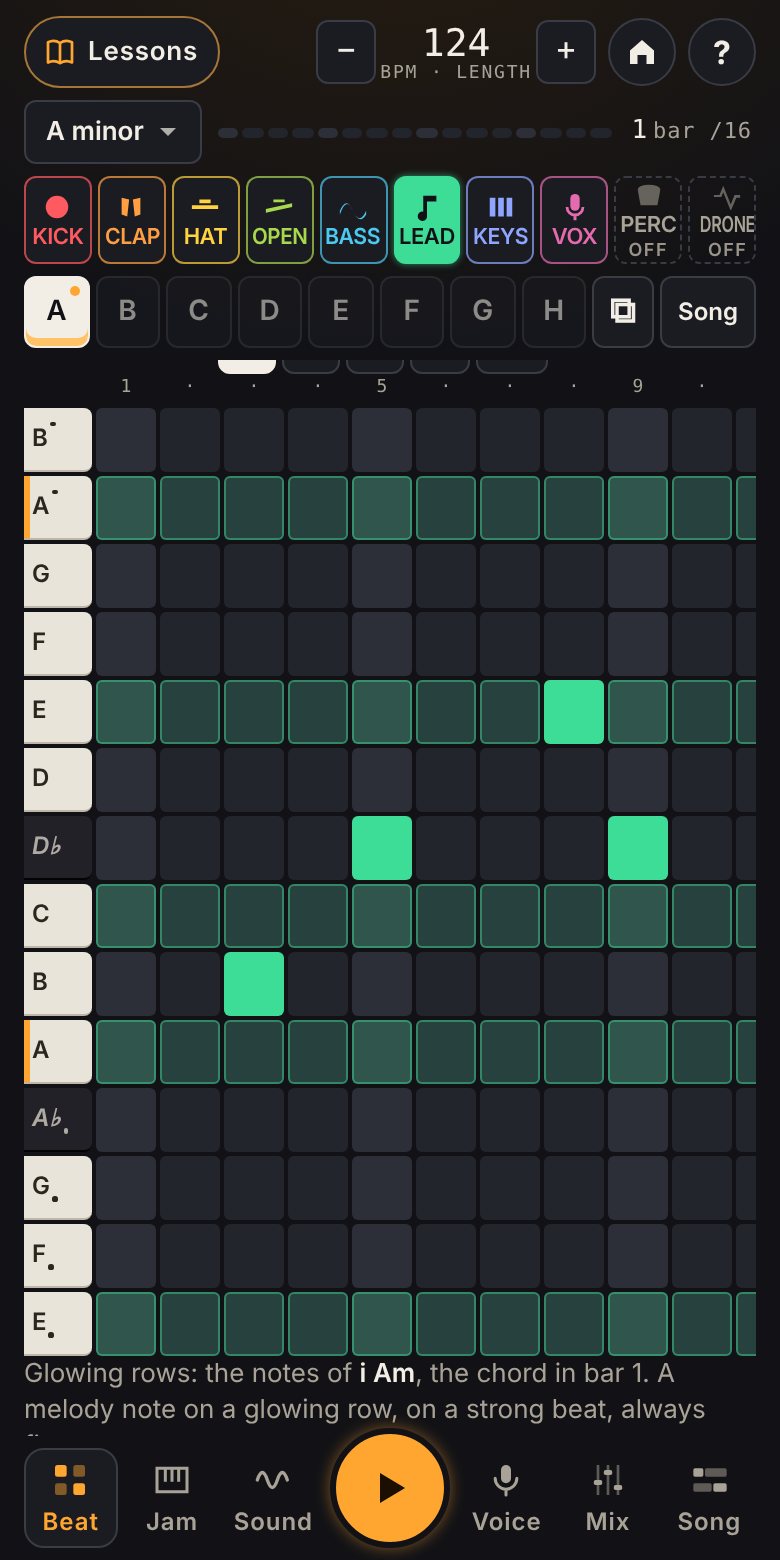
Every pad, piano-roll row and chord comes from the scale or raga you choose, so there are no wrong notes to find. Raga mode is tuned the way a tanpura expects and plays the tabla's theka for each tala.

  • RagasYaman, Bhairav, Bhupali, Malkauns, Bhairavi
  • TalasTeentaal, Jhaptaal, Rupak, Keharwa, Dadra
  • Scalesminor, major, Dorian, Phrygian, Mixolydian, harmonic minor, both pentatonics, hirajoshi
  • Chordsa chord lane the bass and keys can follow
The piano roll with its keyboard strip and a chord lane, in A minor

Arrange

From a loop to a song.

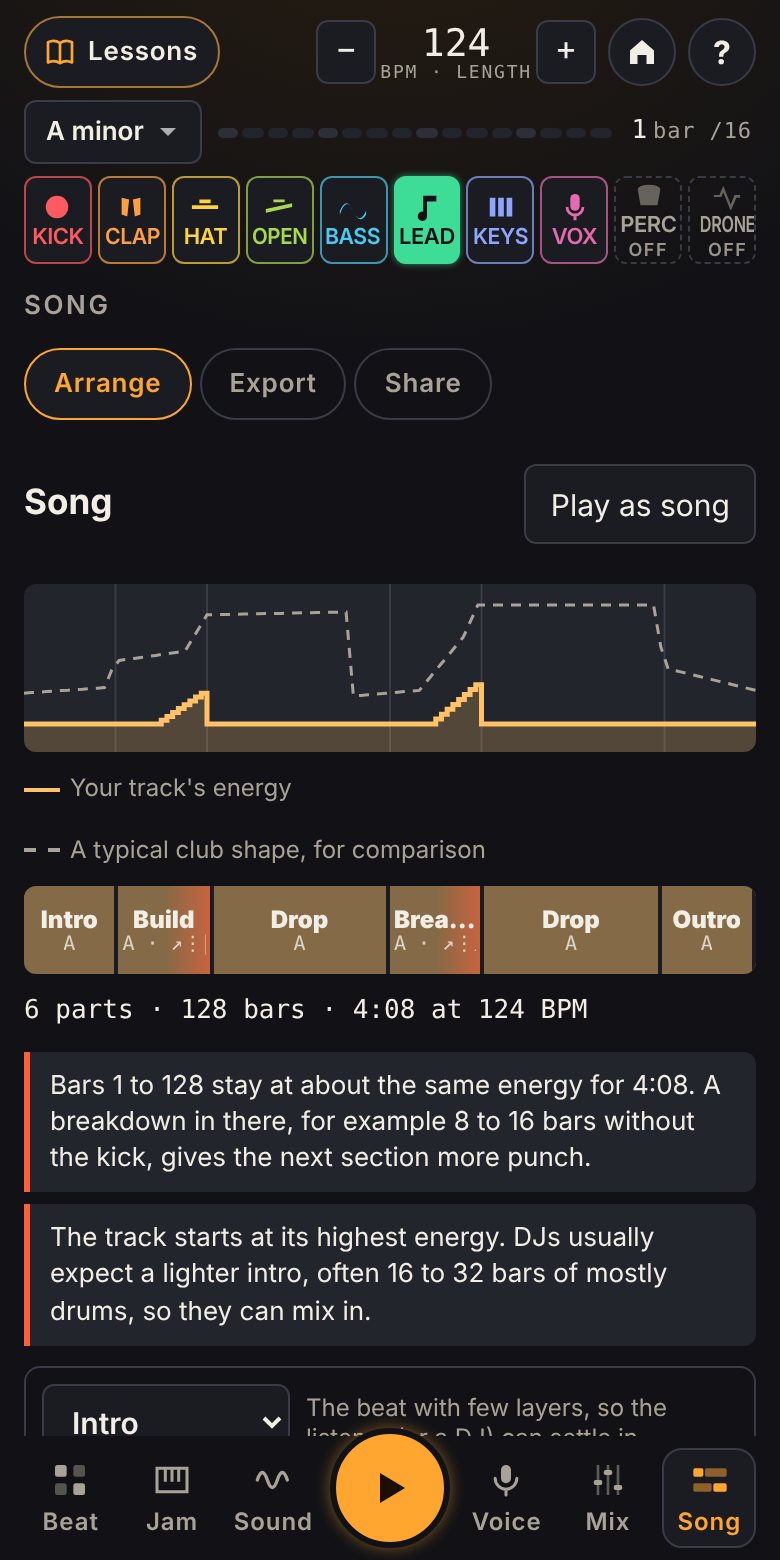
Lay out an intro, a build, a drop and an outro. Add a riser, a roll or a cut before the drop, and watch the energy of your track rise and fall. Aim for an exact length, from 5 seconds to 10 minutes.

  • PartsIntro, Groove, Build, Drop, Breakdown, Outro
  • Lead-insriser, roll, sweep, cut, impact
  • Energy mapyour track against a typical club shape
  • Lengthany target, the tempo nudged so it ends on time
The Song page: an energy map and a club layout of parts

Finish it

Name it. Finish it. Release it.

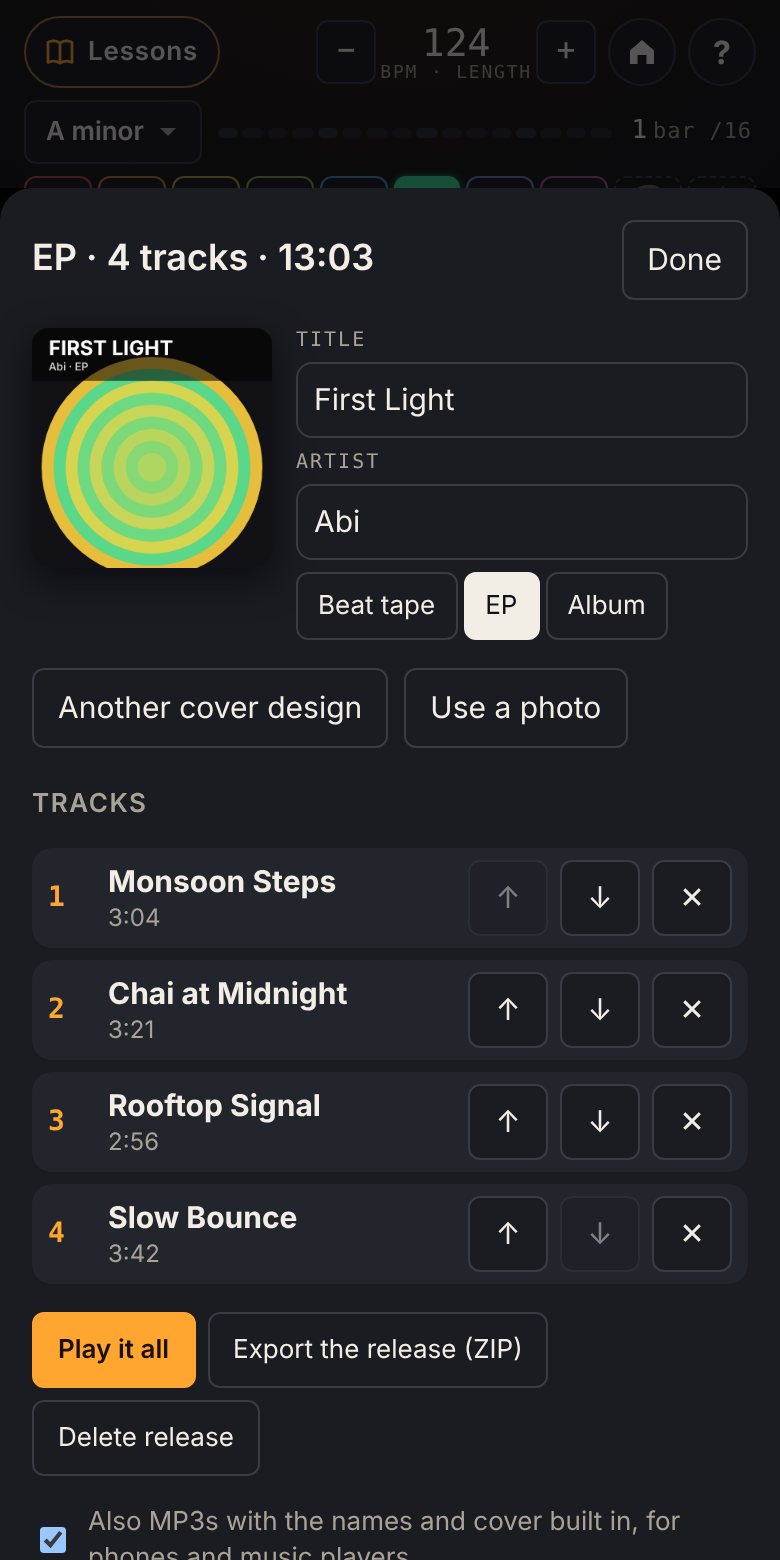
Give every track a name, then put your finished tracks together as a beat tape, an EP or an album, with a cover. Export WAV and MP3 with the names and cover built in, a reel that ends exactly on the beat, or stems and MIDI for your DAW.

  • AudioWAV or MP3, clean loops, fades
  • Reelsany length from 5 seconds, ending on the beat
  • For a DAWMIDI, stems, or a studio package with everything
  • Releasestracks in order, a cover, one ZIP
A four-track EP called First Light, with a generated cover and its track list

Make it together

Answer with music.

Send a song to a friend. They open it in Jamori, change it, add their part, and send it back. Your original stays exactly as it was. Remix Relay turns it into a game.

  • Send to a friendthrough WhatsApp or any app, as the song itself, not a recording
  • A linkthe whole song packed into a link; nothing stored on a server
  • Remix Relaychange two things in a friend's song and send it back

Come back

Something new every day, and credit where it is due.

A new groove each day and a challenge each week, with no streaks to keep and nothing lost if you skip one. Jamori notices what you actually make (your first loop, your first track, your first release) and says so. Never just for opening the app.

Instrument atlas

Instruments from around the world, made from code.

Each one plays in its own tuning: a koto in hirajoshi, a guzheng in its five-note scale, a handpan in D Kurd. Hear them, then play them.

Your music is yours.

Everything you make stays on your phone. Nothing is uploaded, and there is no account. Recordings of your voice are analysed in your browser.

Use what you make in reels, videos, podcasts and paid work. What you can use, and when to credit.